Disclosure: This post contains affiliate links. If you purchase through these links, I may earn a small commission at no extra cost to you. I only recommend products I personally find useful.
Last week I picked up a passenger — retired, mid-sixties, heading to a community center on the east side. Halfway through the ride, she asked me for help with her new iPhone. Her daughter had given it to her as a birthday gift, but she was scared to even turn it on. “I don’t want to break it,” she said. I’ve heard this story maybe fifty times in the last year alone. That’s when I realized something: there are thousands of seniors in Las Vegas right now sitting at home with a smartphone in their hands and zero idea what to do with it. The good news? Free smartphone classes for seniors in Las Vegas are everywhere — you just have to know where to look.
I get it. Technology changes fast.
Where Can Seniors in Las Vegas Learn Smartphones for Free?
Back when I was in engineering, we believed that if a product was intuitive enough, nobody would need a manual. Smartphones were supposed to be that product. Turns out, that’s not how it works in the real world. According to recent research, about 77% of adults age 50 and over in America now own a smartphone — that’s a huge number. But owning a phone and knowing how to use it are two completely different things.
The Clark County Library District is honestly the best place to start if you’re a senior in Las Vegas. They offer completely free smartphone classes at multiple locations throughout the valley. The classes are run by volunteers from the Friends of Ours Cooperative, and they specialize in teaching older adults — not teenagers. The instructors understand that you might have never used a touchscreen before, and they don’t make you feel stupid for that.
The classes cover the basics: turning the phone on and off, making calls, sending text messages, taking photos, and managing apps. Most classes run for about two hours, and you can bring your own phone if you have one, or they can show you how to work with whatever device you own — iPhone, Android, iPad, or tablet. The library websites have the full schedule listed by branch. If you’ve never taken one of these classes before, I’d suggest calling ahead to ask which branch has the least intimidating instructor. Some people connect better with one person than another.
Another resource is the Device Advice program at the Las Vegas-Clark County Library. Unlike a class, this is more personal. You can book a one-on-one session where someone sits down with you and your specific device. Maybe your grandson set up an email account and you can’t remember how to check it. Maybe you got a text from someone and you don’t know how to reply. Device Advice handles that. It’s also free. Call 702-507-3941 to find out when appointments are available.
Why Most Seniors Never Sign Up — And Why They Should Anyway
I was at Smith’s on Sahara last week, and I overheard two women talking. One had just received a smartphone from her son, and the other was asking her if she was going to take the library class. The first woman said, “I don’t know, it seems kind of intimidating.” That right there is the barrier. Not the phone. Not the technology. The intimidation.
Here’s what I know from fifteen years of casual conversations: most people your age have been told their whole lives that they’re “not good with computers.” Maybe your boss said it in 1995. Maybe your kids joke about it. By the time you’re sixty-five, you believe it. So when a smartphone shows up, you assume it’s going to be hard, and you don’t even try.
📌 Related: Senior Fitness Classes in Clark County Nevada 2026 Guid
The research backs this up. When people actually take a class, they learn faster than they think they will. One reason is that the instructors have taught thousands of other seniors, and they know exactly which buttons confuse people and which ones don’t matter. They’re not going to teach you every feature. They’re going to teach you the features you actually need to stay connected with your family.
If you’ve been putting off learning your phone, here’s a real thing that happens: your grandkids get older, they move away, and suddenly they’re texting photos from college or sending videos from their new jobs. If you can’t open a text message, you miss that stuff. The class isn’t really about the phone. It’s about staying part of your family’s life.
What Exactly Happens in a Smartphone Class?
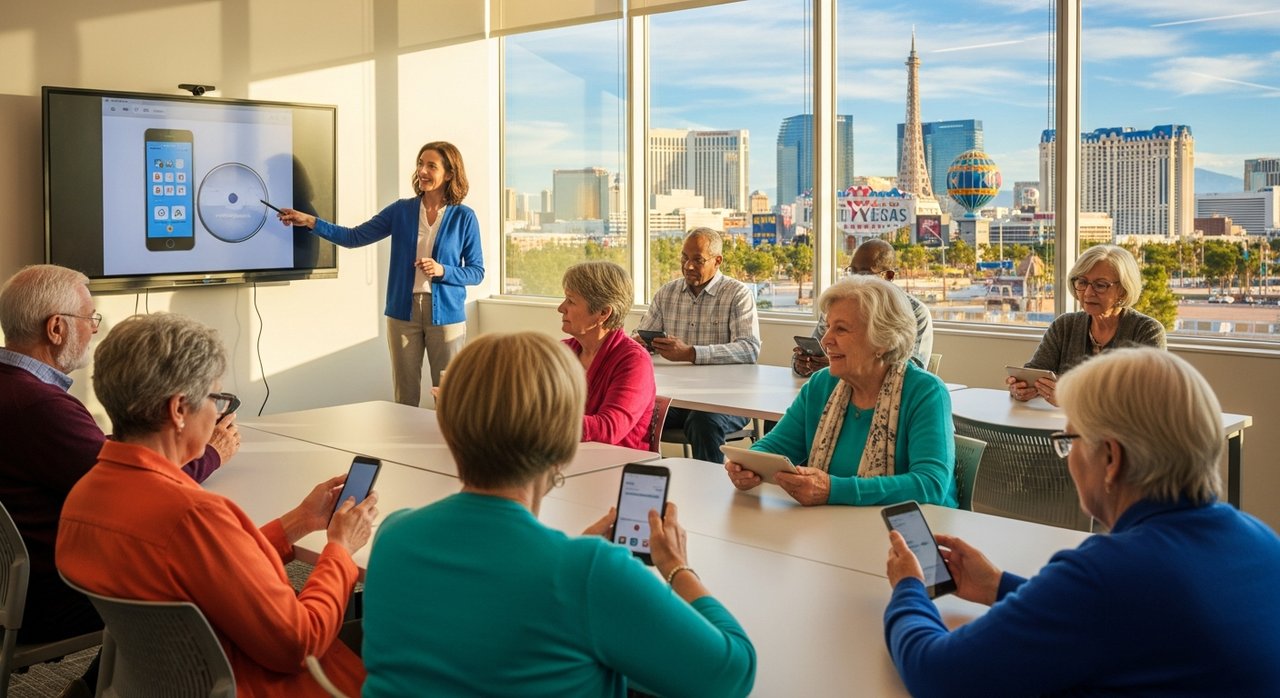
The structure is simple. You show up, someone makes sure you have a comfortable seat, and an instructor stands at the front with a big screen showing what they’re doing on their own phone. Everything they do, you do on yours. They’re going slow — we’re talking pausing after every two clicks to make sure everyone can follow. If you get lost, you raise your hand, and they help you catch up. There’s no rush. There’s also no embarrassment. Everyone in the room is learning the same thing at the same time.
The first class usually covers the absolute basics: the home screen, how to find an app, how the keyboard works. Sounds simple? It is. But if you’ve never touched a touchscreen before, there are tricks you don’t know. Like, you don’t have to poke the screen hard — it’s sensitive. Or, if you hit the wrong key, you can just keep typing and it’ll catch up. Once you know these things, it makes sense. Before you know them, it’s magical confusion.
I had a passenger once who told me that after her first library class, she went home and spent three hours playing with her phone. Just exploring. Clicking on things to see what happened. That’s when learning actually sticks — when you go from being terrified to being curious. That shift usually happens within the first week.
Some libraries also offer follow-up classes — a second or third session where you can ask questions about stuff you tried at home but didn’t quite work. One woman told me she spent a whole class learning just how to check her email and delete unwanted messages. That’s fine. You move at your own pace.
Community Centers and Senior Facilities
The library isn’t your only option. Heritage Park Senior Facility in Henderson offers free technology classes specifically for seniors. The City of North Las Vegas Parks and Recreation department also hosts computer and technology classes. Some are more structured than others, and some have a small fee — maybe twenty to thirty dollars per session. But most are either free or so cheap that cost really isn’t the barrier.
📌 Related: Free Congregate Meal Programs for Seniors in Las Vegas
Here’s the thing about going to a community center instead of the library: you might meet other people your age in the waiting room. That’s not nothing. I know people who took a class and ended up making friends, and now they meet for coffee once a week. They help each other with their phones. That kind of peer support matters more than any instructor.
East Las Vegas Community Center runs basic computer classes twice a week for about twenty dollars per session. It’s not free, but the instructors there tend to be more patient with complete beginners than you might expect. The class moves slowly. They understand that if you’ve never used a computer keyboard, a smartphone keyboard is going to seem weird at first.
Don’t Forget About AARP
Back when I was dealing cards at a locals casino on the west side, I watched a guy who must have been in his seventies sit down and start playing blackjack on his phone. His grandson had set it up for him. I was amazed. Now, that same technology is available to everyone — and AARP has been running free workshops to help seniors learn it.
You don’t have to be a member to attend an AARP workshop, and you don’t have to be in Las Vegas either. They offer online classes and in-person sessions. The topics include smartphone basics, how to stay safe online, how to use email, and how to video chat with family. Some of these workshops are free webinars that you can attend from your couch. Others are in-person events.
The advantage of AARP is that they’ve been doing this for years. Their curriculum is solid. The instructors know common mistakes, and they know how to explain things in a way that makes sense to older adults. Call AARP or check their website for Las Vegas events — they usually have something going on.
The Biggest Mistake Seniors Make
In my experience, the biggest mistake is waiting too long. Not because the technology is going away — it’s not. But because the longer you wait, the more isolated you feel, and the more the fear builds up in your head. You start imagining worst-case scenarios. “What if I accidentally spend all my money?” (You can’t — there’s no way to accidentally make a purchase unless you deliberately enter payment information.) “What if I break the phone?” (You won’t. Phones are tougher than you think.)
The second biggest mistake is trying to learn from a family member instead of a trained instructor. I love my family, but if my nephew is teaching me something on his computer, he’s going to assume I know stuff that I don’t. He’s also probably going to be impatient after about five minutes. The instructor at the library? They’ve explained how to turn the phone on about ten thousand times. They’re not getting impatient on time eleven thousand one.
Frequently Asked Questions
Do I have to own a smartphone before I take a class?
No. Most classes will let you practice on a library tablet or phone if you don’t have your own yet. This actually works out great because it means you can try it out before you buy one. Some seniors discover they prefer a larger tablet to a phone, and the class lets them figure that out without dropping money first.
What if I’m worried about online scams?
That’s a totally legitimate concern, and it’s worth asking about. Most classes include a section on online safety — how to spot a suspicious link, what to do if something looks fake, and how to report scams. If your class doesn’t cover it, ask the instructor directly. It’s an important topic.
Are the classes really free?
The Clark County Library classes are completely free. Some community centers charge a small fee — usually twenty to thirty dollars per class. AARP workshops are free. Check with your local facility to confirm before you show up.
How many classes do I need to take?
Most people see a big improvement after one class. That’s when you understand how the screen works and how to find the basic apps. If you’re interested in learning more — like photography, email, or messaging apps — you might take a second or third class. It’s totally up to you. Some people take just one and then practice at home. Others come back for more.
What if I learn something in class and forget it by the time I get home?
Write it down. Ask for a handout. Take photos of the screen. Modern classes often send you home with a simple one-page cheat sheet with pictures on it. And if you forget something, you can always take the class again, or call the library and ask a quick question. They’re there to help.
📱 Recommended Products for Learning Smartphones
As an Amazon Associate, I earn from qualifying purchases at no extra cost to you.
📱 LIVELY Jitterbug Smart3
Large 6.2″ screen, simple menu, made for seniors. No confusing apps.
✏️ Stylus Pen for Touchscreen
Makes tapping and typing much easier — no more fat-finger errors on small icons.
References
- Help Advisor — How to Find Smartphone Classes For Seniors
- Las Vegas-Clark County Library — SmartPhone Class For Seniors
- Atlanta Journal-Constitution — Seniors with Smartphones Need Lessons
- Nevada Aging and Disability Services Division — Programs for Seniors
- SeniorResource — Senior Education in Las Vegas, NV
Disclaimer: This article is for informational purposes only. Prices, hours, and class schedules at libraries and community centers may change — please verify details directly with the Las Vegas-Clark County Library District or your local facility before attending.